

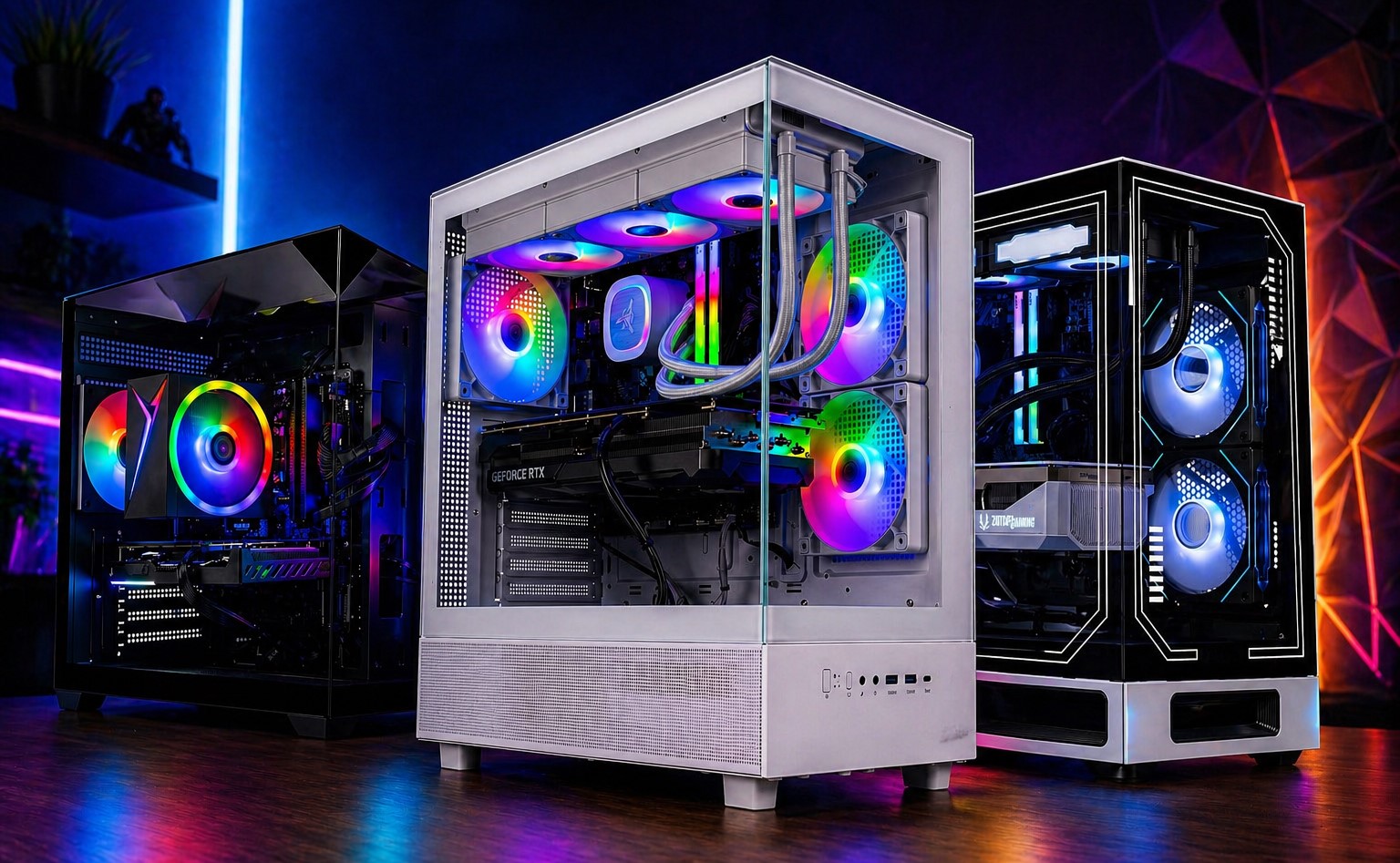
Choosing a CPU or a GPU used to be the most expensive part of building a PC from scratch or even for an upgrade. With RAMpocalypse that started in Q4 2025, everything changed. Building a PC became so difficult that the RAM and SSD alone now cost over half the combined cost of the rest of the parts, including CPU, GPU, motherboard, PSU, etc. Occasionally, we see some users getting a 10 or 20% discount, or if they get extremely lucky, they receive a free part or two with the bundle deals.
Not everyone can wait for such luck, but thankfully, you don’t have to. Many pre-assembled or pre-built gaming PCs are already there, sitting on shelves, not getting the same attention as always, despite selling for a much lower price than what you would pay for a PC with parts bought individually. After a thorough search, we have curated a list of the best pre-built gaming PCs for every budget you should be getting this year if you don’t want to overspend.
RAM and SSD Prices are Sky-High, What to do?
We don’t have any control over the prices of PC components, and there seems to be no relief this year. Some reports suggest that the shortage will continue to exist for the next 2-3 years. This makes it even harder to build a PC since waiting is not the solution. RAM prices have been at an all-time high, with most DDR5 RAM kits sitting at 4-5X their usual prices. Storage drives, particularly SSDs, aren’t cheap either, and most of them are selling for 3-4X higher than they used to sell last year.
We do see them dropping in prices occasionally, but price hikes are more common. Many manufacturers have doubled the prices of their SSDs in a few months and have continued to adjust the prices almost every week. Most 1 TB M.2 SSDs now sell at around $200 or above. On the other hand, 32 GB DDR5 RAM kits start at around $350, and high-performance DDR5 RAM kits can cost as much as $450-500. Keeping this in mind, you are looking at nearly $700 expenditure on a 32 GB / 1 TB configuration alone, which is ridiculous.
For $700-$800, it was easier to build a whole gaming PC last year that brought at least a 16 GB / 1 TB configuration alongside a decent budget CPU-GPU combo that can play games at 1080p. It’s no longer feasible, and building the same configuration isn’t possible even for a thousand dollars. However, there is still a way you can have a powerful configuration with sufficient RAM and storage capacity at almost the same price as last year. By choosing a pre-built gaming PC, you can avoid much of the recent price inflation affecting RAM and SSDs.
Our Picks for the Best Gaming PCs in 2026
Best Overall: Skytech Gaming Azure 3 Plus
| Processor | AMD Ryzen 7 7800X3D |
| Graphics Card | NVIDIA GeForce RTX 5070 Ti 16 GB |
| RAM | 32 GB DDR5-5600 |
| Storage | 1 TB PCIe 4.0 NVMe |
| Cooler | 360mm ARGB AIO |
| PSU | 850W Gold |
The AMD Ryzen 7 9800X3D is underrated. It may have lost its crown for the “best gaming CPU” to newer chips like Ryzen 9800X3D or 7800X3D, but the performance difference is hardly noticeable when you are playing on higher resolutions. This is what the Skytech Gaming Azure 3 Plus is made for. With the Ryzen 7800X3D and GeForce RTX 5070 Ti combo, it can max out any game at 1440p resolution and can even play modern titles at 4K without breaking a sweat. This combo alone makes it a killer machine that will last for several years.
The configuration includes a 32 GB RAM kit that is sufficient for gaming and will have enough room for multiple background tasks, and with 1 TB of storage, you will have enough to store a couple of big games alongside your crucial data. Also, if you want to try overclocking, you should face no hassles as the Ryzen 7 7800X3D is cooled by a powerful 360mm AIO cooler. All these parts are hosted inside a beautiful mid-tower chassis that brings a panoramic view, thanks to the dual-sided tempered glass design. At a price tag of just $2379, this pre-built PC is currently the best bang for the buck, and even comes with a free keyboard-mouse combo.
Best Budget: Thermaltake LCGS Quartz i1460
| Processor | Intel Core i5 14400F |
| Graphics Card | NVIDIA GeForce RTX 5060 |
| RAM | 16 GB DDR4-3600 |
| Storage | 1 TB PCIe 4.0 NVMe |
| Cooler | Single tower air cooler |
| PSU | 600W Gold |
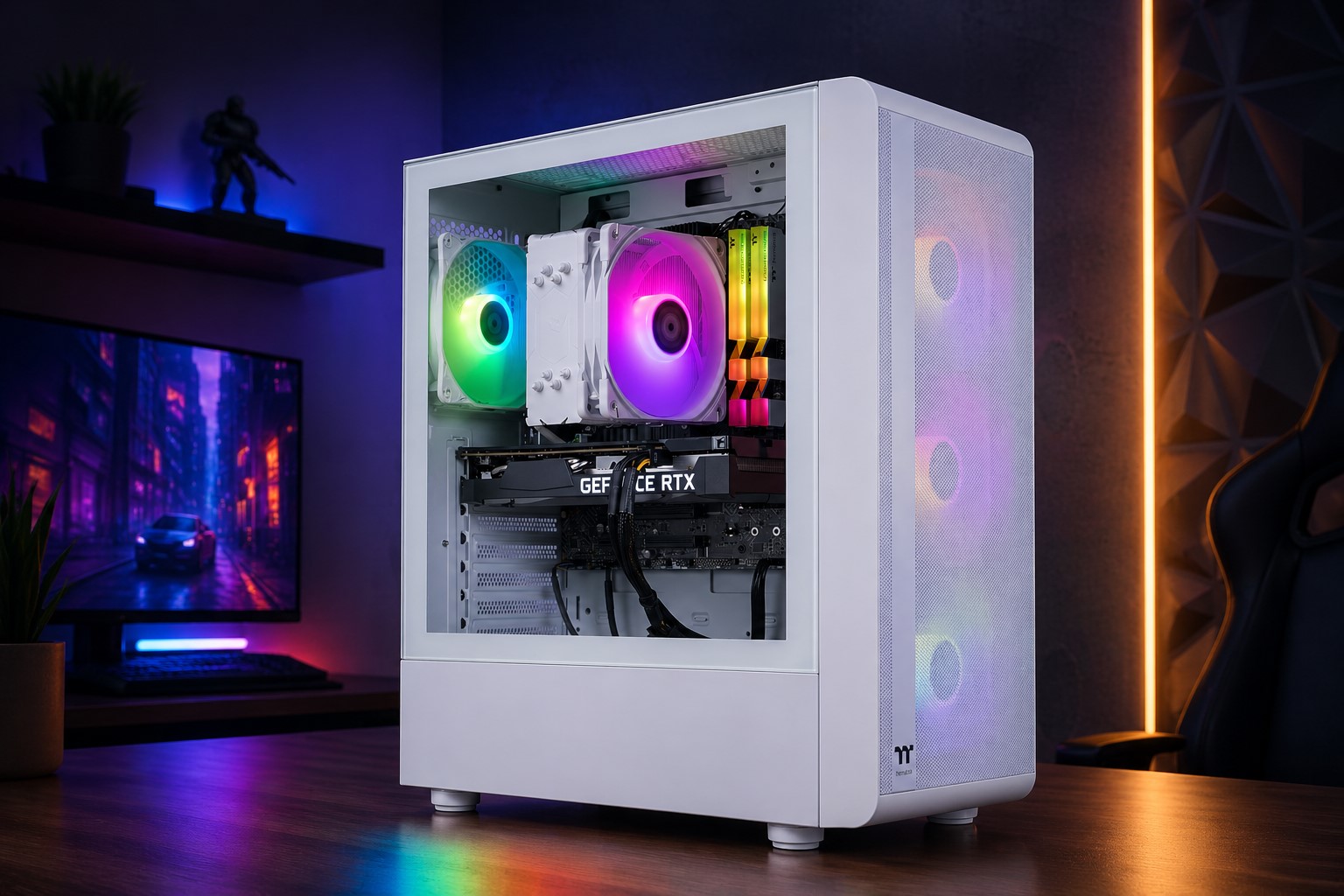
Spending over $2,000 isn’t feasible for everyone, and for those who cannot spend over a thousand dollars, we recommend getting the Thermaltake LCGS Quartz i1460 gaming desktop that brings beautiful aesthetics, powerful hardware, and easy upgradeability, all for just $989. The LCGS Quartz i1460 is powered by the Intel Core i5 14400F, a decently powerful 10-core budget CPU from the Raptor Lake Refresh family that holds up quite well even after two years of its launch. Paired with the GeForce RTX 5060, this PC can run games at 1080p with high to ultra settings at 60 FPS.
A configuration of 16 GB DDR4 RAM and 1 TB SSD will be sufficient as well, but you can always upgrade later by adding another kit or SSD. If you ever wanted to upgrade the GPU, you can safely add up to a GeForce RTX 5070, thanks to its 600W Gold-rated power supply that isn’t just efficient, but offers adequate wattage capacity and reliable performance. A compact yet spacious mid-tower from Thermaltake hosts the components that give you a dedicated PSU shroud to hide the mess and a fully ventilated front panel to keep things cool. All in all, this is one of the best budget entry-level gaming PCs with modern components if you don’t mind settling for a DDR4 platform.
Best Lower Mid-Range: Skytech Gaming Crystal
| Processor | Intel Core Ultra 5 245K |
| Graphics Card | AMD Radeon RX 9060 XT 16 GB |
| RAM | 16 GB DDR5-5600 |
| Storage | 1 TB PCIe 4.0 NVMe |
| Cooler | Single tower air cooler |
| PSU | 650W Gold |
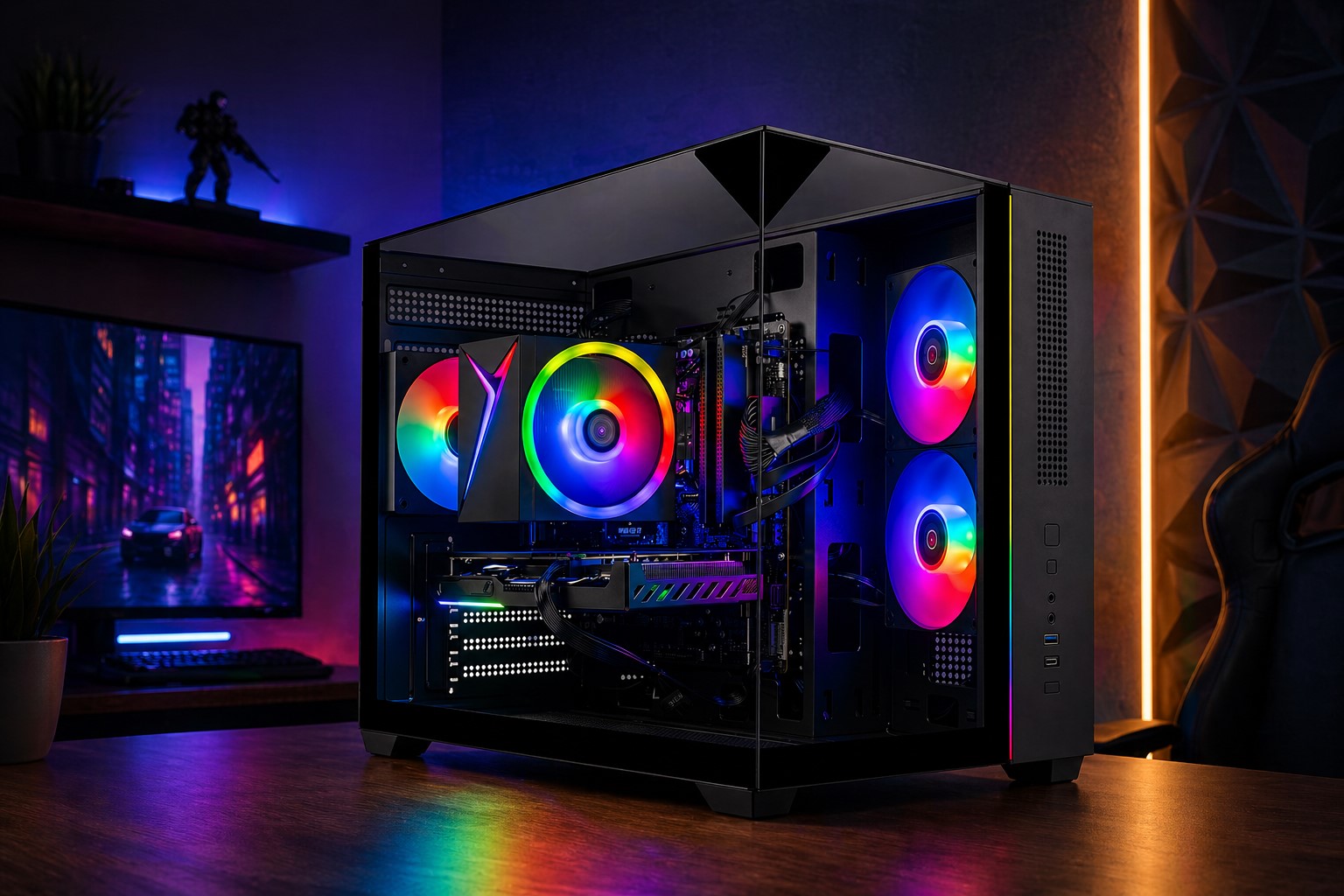
In the lower-mid-range category, we could mostly find PCs based on the GeForce RTX 5060 Ti 8 GB, which is going to be terrible at 1440p in some modern intensive titles that gobble up 8 GB VRAM easily. In no terms, the RTX 5060 Ti 8 GB is a bad GPU, but if you are spending nearly $1400-$1500, then it’s better to invest in more VRAM. In 2026, it’s more important than ever, and will likely be extremely important in the near future, considering modern game engines require a lot of VRAM capacity.
The Skytech Gaming Crystal PC will take care of that using the Radeon RX 9060 XT 16 GB, which is as powerful as the RTX 5060 Ti 8 GB edition, but features an additional 8 GB of video memory. Whether you are running intensive professional, graphical workloads, or modern games, you will have sufficient VRAM for your needs. It’s paired with the Intel Core Ultra 5 245K, one of the fastest Intel desktop mid-range processors that brings 14 cores to crunch numbers fast and push your system’s capabilities to the next level. With an excellent configuration of 32 GB RAM and 1 TB SSD, you will have a future-proof system for the next 2-3 years inside a beautiful tempered glass case, which will allow you to upgrade whatever component you wish in the future.
Best Mid-Range: Skytech Gaming Azure 3 Plus (i7 14700F+RTX 5070)
| Processor | Intel Core i7 14700F |
| Graphics Card | NVIDIA GeForce RTX 5070 12 GB |
| RAM | 16 GB DDR5-6000 |
| Storage | 2 TB PCIe 4.0 NVMe |
| Cooler | 360mm ARGB AIO |
| PSU | 850W Gold |
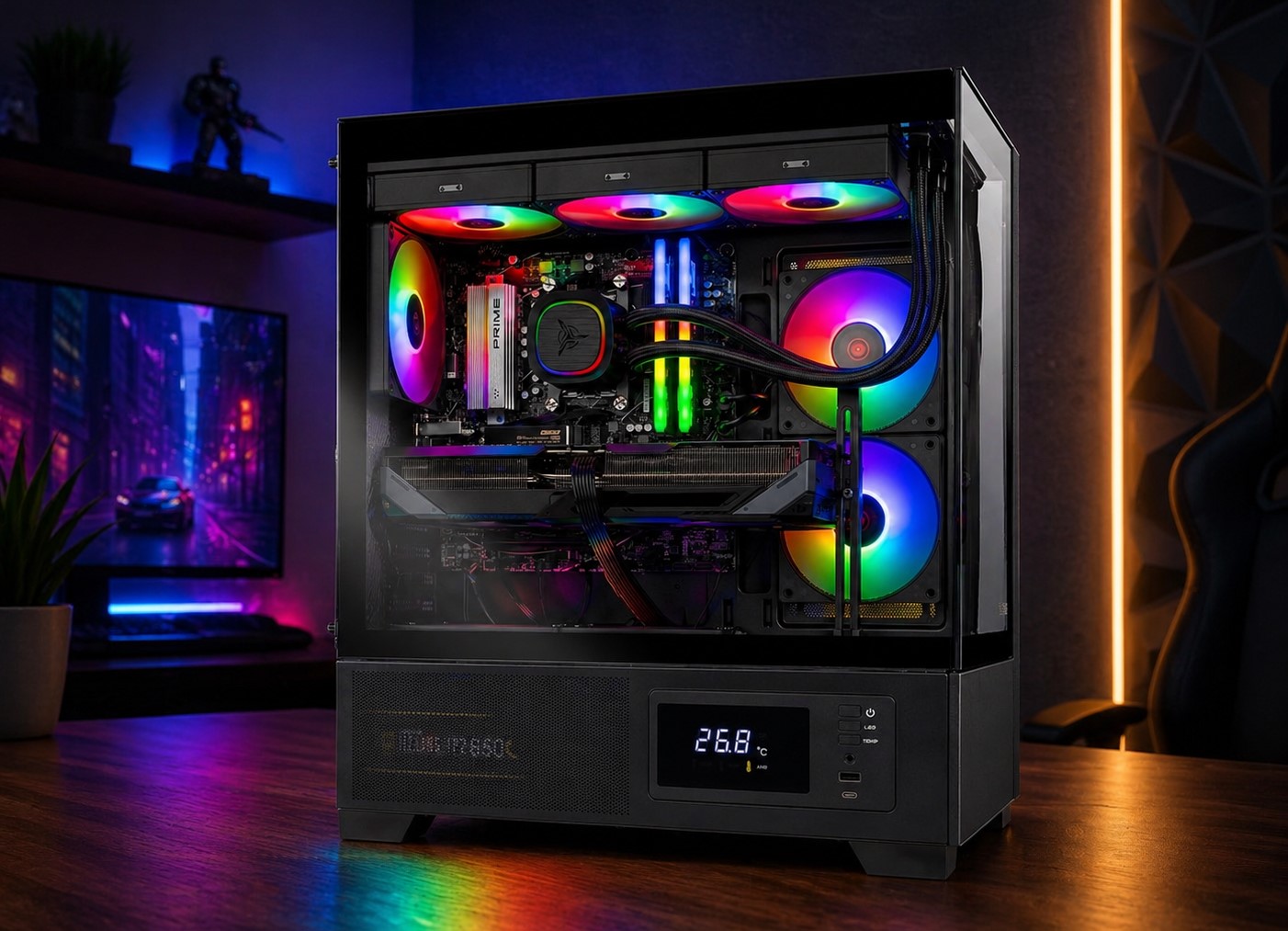
Having a mid-range gaming PC that could max out games at 1440p wasn’t difficult for under $1300 until now, when a GPU like the RX 5070 costs above $600 in most regions. With 16 GB and 2 TB configuration costing around $600, the cost goes up to a whopping $1200 for these three components. However, when you add components like the Intel Core i7 14700F, a motherboard, 360mm AIO, and an 850W Gold-rated power supply, the total price quickly reaches $1900-$2000.
With the Skytech Gaming Azure 3, you will be getting all these for just $1,699, which is an incredible price at the moment. Plus, you will also receive a free game code for PRAGMATA when buying the RTX 5070. This gaming desktop is a variant of our top pick, but has some of its components downgraded. The Intel Core i7 14700F will still be an incredible choice for this build, considering you aren’t pairing it with a high-end GPU like RTX 5090. Great components, good chassis, excellent cooling, and easy upgradeability, this PC has it all.
Best High-End: Skytech Gaming Azure 3 (Ryzen 9800X3D+RTX 5080)
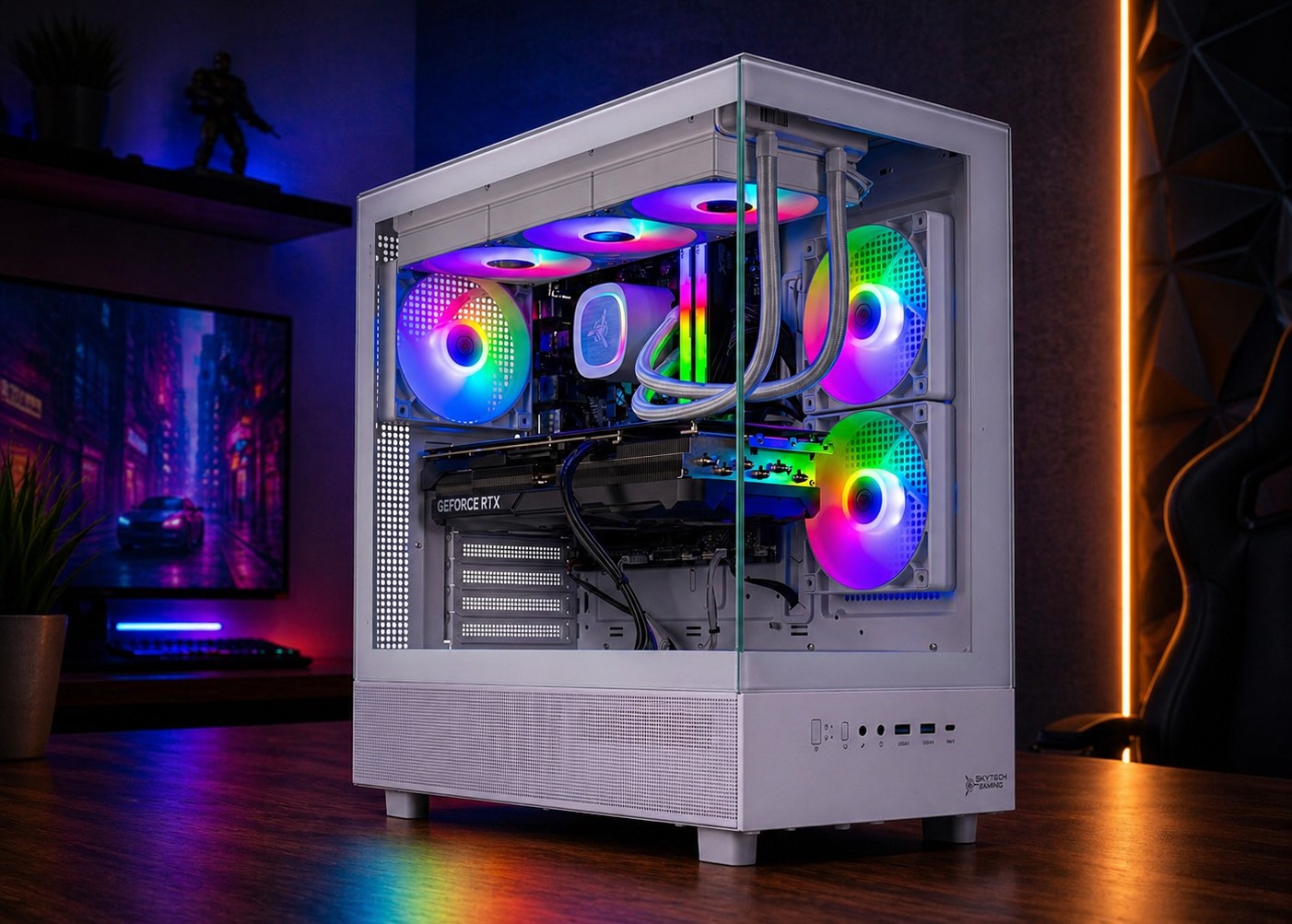
| Processor | AMD Ryzen 7 9800X3D |
| Graphics Card | NVIDIA GeForce RTX 5080 16 GB |
| RAM | 32 GB DDR5-6000 |
| Storage | 2 TB PCIe 4.0 NVMe |
| Cooler | 360mm ARGB AIO |
| PSU | 850W Gold |
You can’t play at 4K if you don’t own a high-end configuration, and that must include a GPU like the GeForce RTX 5080. Once again, this is a variant of the Skytech Gaming Azure 3, but it brings you one of the best gaming processors on the planet. The AMD Ryzen 7 9800X3D remains almost undefeated except for its bigger siblings like Ryzen 7 9850X3D, but that too by an unnoticeable margin. Ryzen 9800X3D is a monstrous 8-core/16-thread Zen 5 CPU that can push the frames to triple digits if paired with a good GPU like the RTX 5080.
This configuration makes sure you get exactly that level of performance. Even for the memory, the system manages a good 32 GB DDR5 memory clocked at 6000 MT/s for eliminating memory-related bottlenecks, and for storage, a fast 2 TB NVMe SSD is installed to keep several large-capacity games. The PC brings an all-white mid-tower chassis that brings a panoramic view via double-sided tempered glass panels and has pre-installed fans on the right to ensure cool air intake. The CPU is cooled by a 360mm ARGB AIO cooler, and with proper ventilation, this PC runs at its maximum potential. For just over $3,000, this is one of the cheapest RTX 5080-based pre-built PCs that will keep you ahead for several years.
Best Enthusiast: ZOTAC MEK Gaming PC
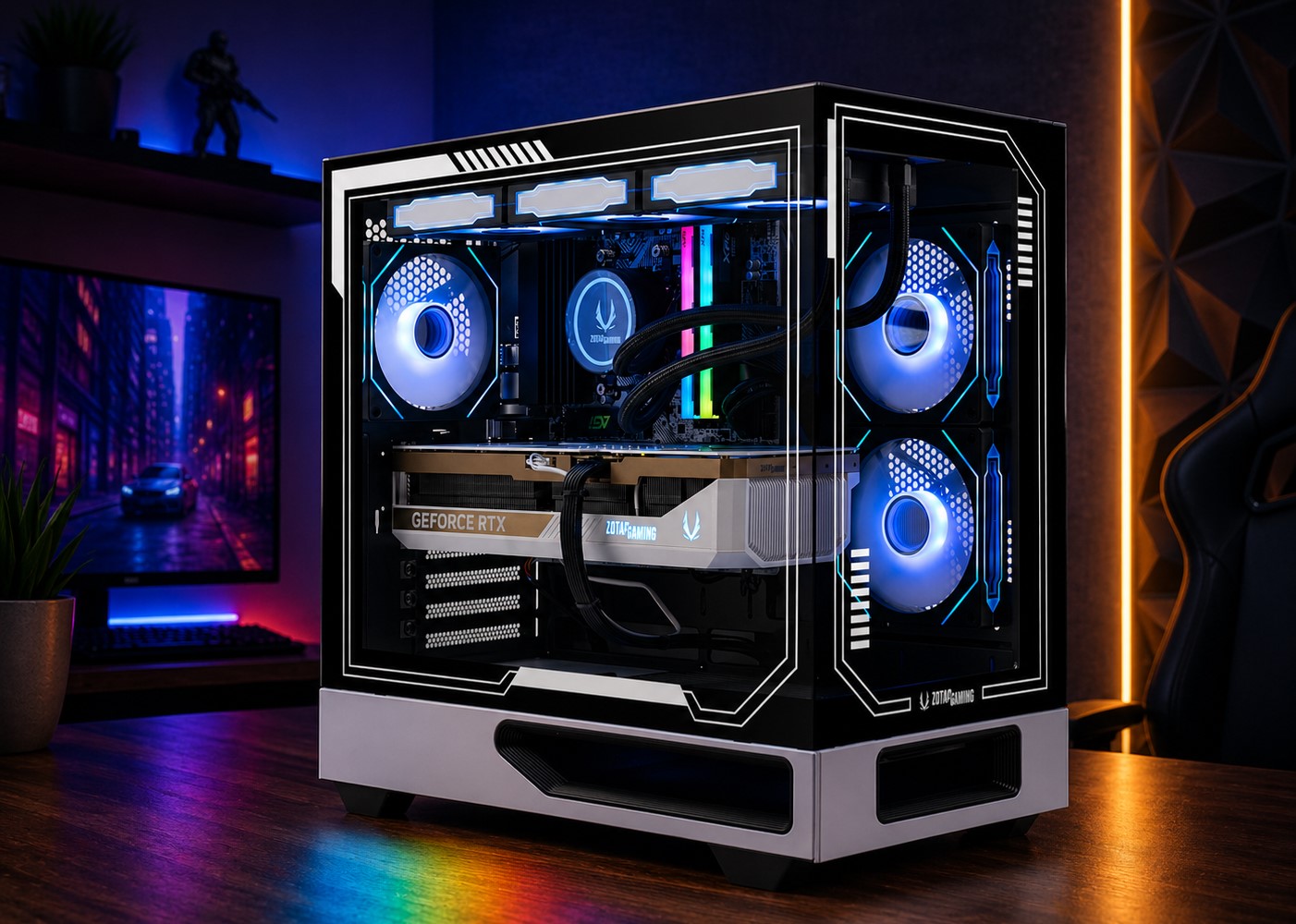
| Processor | AMD Ryzen 7 9800X3D |
| Graphics Card | NVIDIA GeForce RTX 5090 32 GB |
| RAM | 32 GB DDR5-6000 |
| Storage | 2 TB PCIe 4.0 NVMe |
| Cooler | 360mm ARGB AIO |
| PSU | 1200W Gold |
By replacing the GeForce RTX 5080 with the flagship NVIDIA Blackwell GPU, i.e., the GeForce RTX 5090, we are looking at a significant upgrade in performance. No GPU comes close to the RTX 5090 in gaming, and with a whopping 32 GB of fast GDDR7 VRAM and 21,760 CUDA cores, this GPU is an absolute killer. When paired with the fastest gaming CPU, ZOTAC MEK can easily deliver over 100 FPS in modern titles, even at 1440p and 4K on ultra settings. Plus, you get the power of DLSS 4.0/4.5 for better visuals and multi-frame generation to improve performance.
Surely, it’s much more expensive than any other machine on the list, but considering the ZOTAC MEK is priced below several premium RTX 5090 models currently on the market, it makes more sense to buy this PC than purchase the RTX 5090 on its own. Given that the system is already upgraded with a high-wattage capacity power supply, 32 GB DDR5 RAM, 2 TB storage, and a 360mm AIO, it’s well worth its price tag of $5,299.
FAQ
Why are pre-built gaming PCs cheaper than building a PC in 2026?
The cost of building a PC can be significantly higher if components are purchased individually. This is particularly due to 4-5X higher prices of DDR5 RAM and SSDs. Multiple retailers are bundling RAM and SSDs with other components to reduce this inflated cost, and it gets even better when users buy a whole pre-built gaming PC. Overall, it’s much better to buy a pre-built system in 2026 than to build one.
Is it better to buy a pre-built PC instead of waiting for RAM and SSD prices to drop?
There is uncertainty regarding RAM and SSD prices. Reports indicate that we might see even further price inflation in the coming months, and the shortage could last till the end of 2027. If you cannot wait two more years, then it’s definitely worth buying a pre-built PC now rather than waiting for the prices to drop.
Are DDR4-based gaming PCs still worth buying in 2026?
DDR4 builds save you hundreds of dollars, and don’t have a significant impact on performance. Of course, with DDR4 platforms, you will be settling for slower hardware, but given the current state of the market, DDR4 builds offer much better value for money.

About the author: Sarfraz Khan is a hardware reporter with a focus on PC components and the builder community. With years of experience writing about PC hardware and laptops, his work has been featured on several reputable technology publications.
Sarfraz’s hands-on experience is demonstrated through his first-person accounts of using and comparing different hardware configurations, providing practical and relatable insights for everyday users. His technical analysis is respected by peers in the enthusiast community and has been cited by specialized hardware sites such as Germany’s Igor’s Lab.
Follow Wccftech on Google to get more of our news coverage in your feeds.
VIA: wccftech.com